
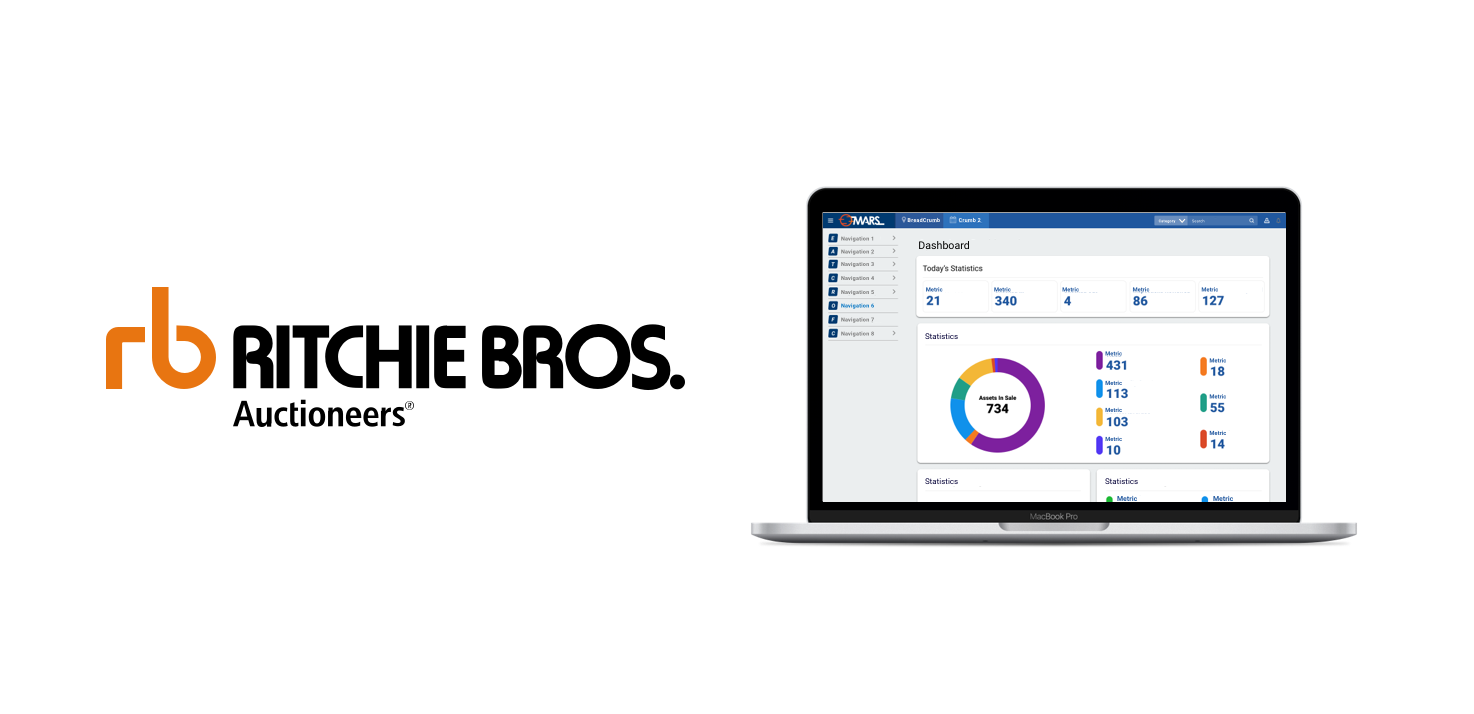
Timeline: 3 years 4 months
Category: UX & UI design
Type: Web App, iOS App, Design System
Tools: Pen & Paper, Sketch, Figma, Jira
Background
I joined RB in 2018 fresh out of design school and very eager to apply my new skills in my first design job. The amount of personal and professional growth I have gained from my time at Ritchie Bros. is tremendous. Being one of two designers on the team for internal applications used by thousands of employees worldwide afforded me the opportunity to have a big impact with my work. At the start of my RB career I worked very closely with my design lead and mentor, gaining the confidence to trust in the design process and myself as a designer to deliver the best product. As my skills and confidence grew my lead moved to other projects and I eventually became responsible for the entire design process for Ritchie Bros. internal auction management systems.
Overview
Ritchie Bros. (RB for short) is an industrial asset disposition and management company. In more simple terms, Ritchie bros is auction company that sells a huge variety of industrial equipment from heavy machinery for mining to surplus nuts and bolts.
I had many UX roles during my time at RB but my primary work was to provide designs for two auction management applications called MARS and the companion iOS app iInspector. I joined this project roughly a year after it had kicked off with the goal of incorporating existing features from legacy systems and, create new capabilities for these applications. Other major achievements at RB include the creation of a design system for MARS and iInspecetor components, provided UX consultation for RB’s migration from Salesforce Classic to Lightning, and provide mockups for a new data quality management application.
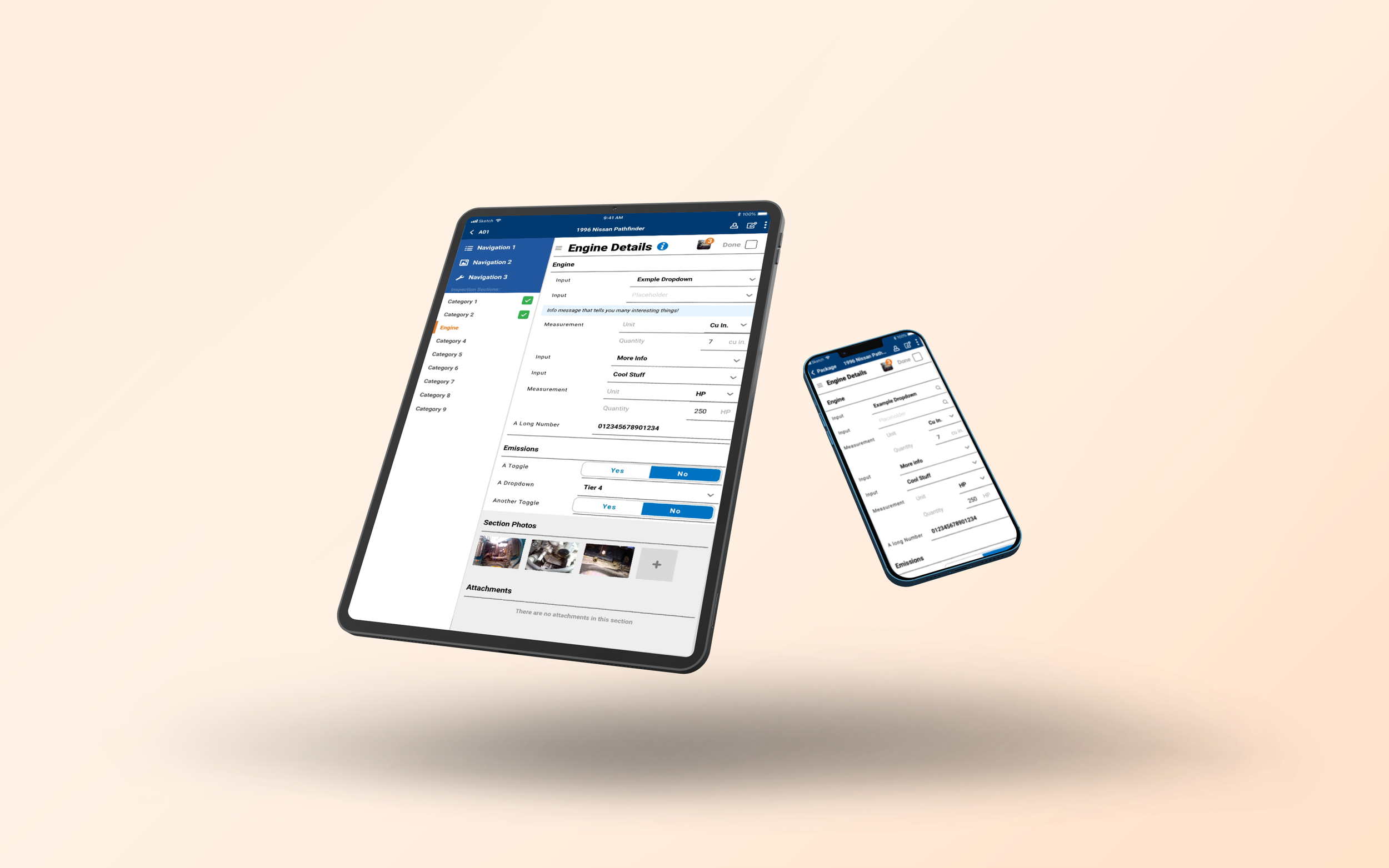
MARS & iInspector
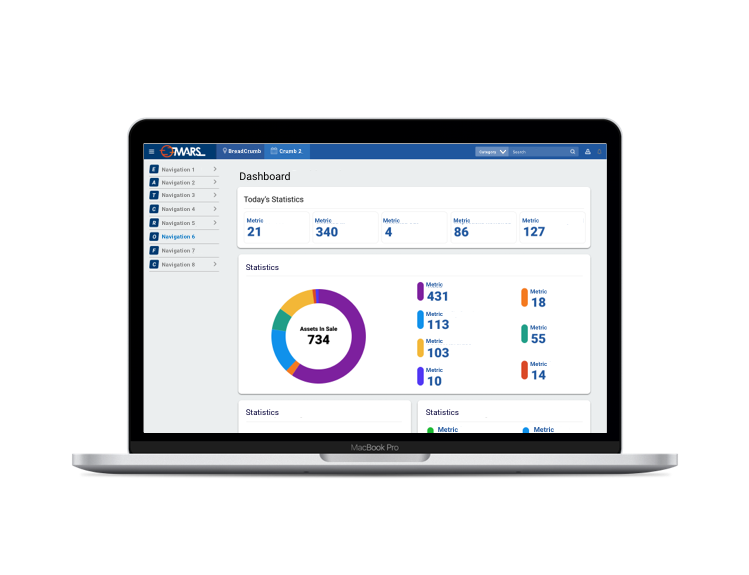
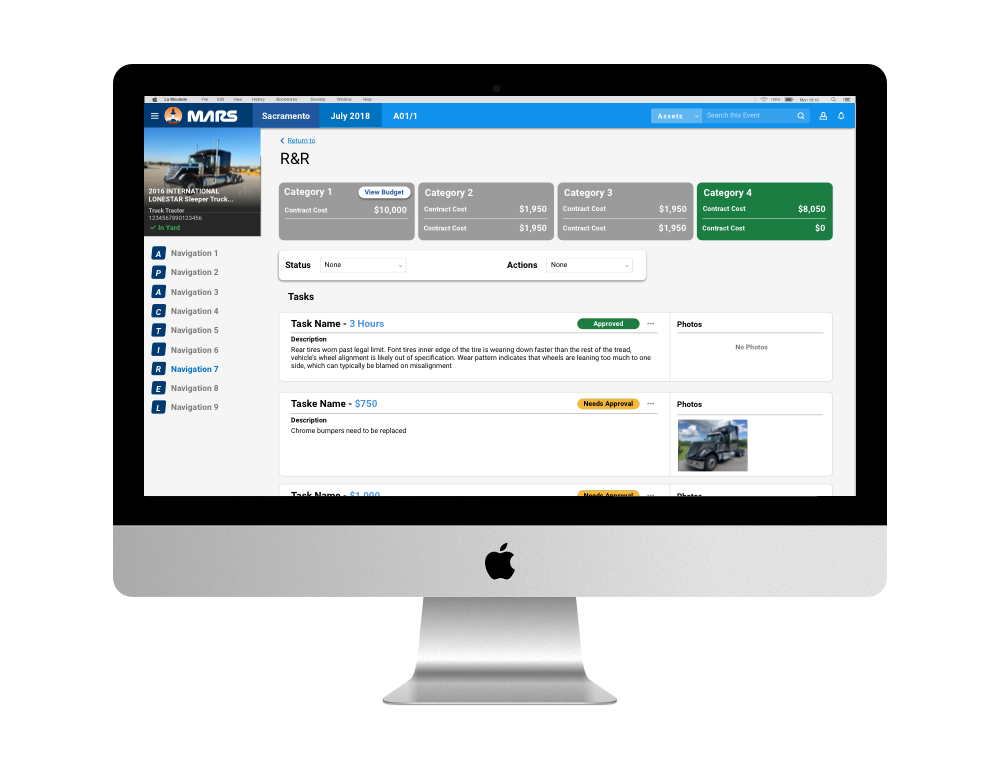
Multi-channel Administration Recording System or MARS for short is the hub for all RB employees that work at an auction site around the world. MARS is used every step of the way from capturing equipment information in preparation for sale, all the way to post sale check out, transaction settlement and beyond.
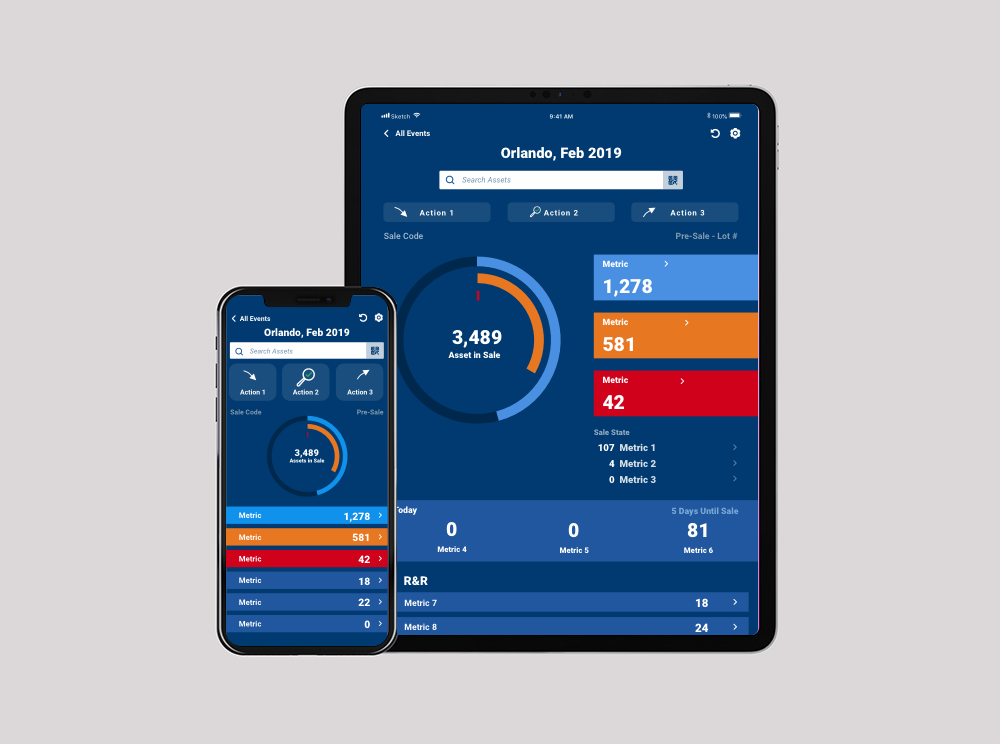
iInspector is the iOS application counterpart of MARS for jobs that required people be able to get out into the field. Designs for iInspector had to be accessible enough for users to be able to climb on equipment while finding serial numbers in the reflective sunlight to capturing equipment photographs with gloved fingers in the cold.
MARS is used every step of the way from capturing equipment information in preparation for sale, all the way to post sale check out, transaction settlement and beyond.
iInspector is the iOS application counterpart of MARS for jobs that required people be able to get out into the field.
The Challenge
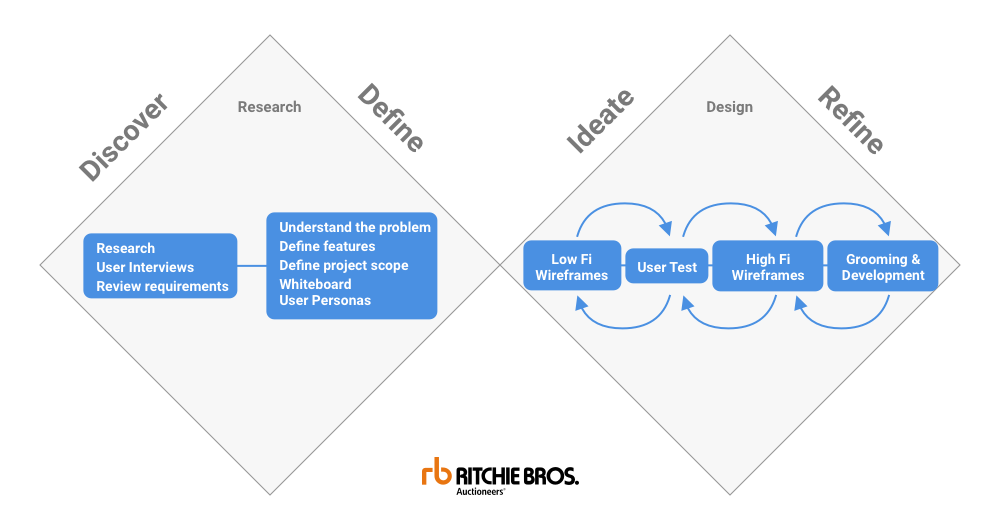
My challenge for MARS was twofold firstly, I had to update the UX for features that existed in legacy systems and secondly, create new capabilities from business requirements and user requests in Jira tickets. Once designed on desktop many features would then need to be designed for mobile use or vice versa. However, the requirements for mobile and desktop were not always the same as different teams could need the same feature but interact with the software differently e.g. sitting at your desk vs actively climbing on equipment. To guide our designs we used the double diamond ideology as a map for our projects.
I had to update the UX for features that existed in legacy systems and create new features and capabilities from business requirements and user requests.
Research
My approach for tackling these unique design challenges always begins with researching the problem and understanding the teams using it. At RB there was a huge variety of projects and varying UX effort needed. Some small tickets could take an afternoon to complete while other projects could take a month, but they always followed the same formula for success. Typically, I would start a project by reviewing a set of requirements provided by business analysts who had contacted users and stakeholders to outline the project. From the initial research and requirements I would then reach out to directly to employees who would be using the software or to SME’s (Subject Matter Experts) who have had years of experience with RB. Projects where no prior research had been done required starting from scratch. In the best of cases I would personally observe users completing their tasks at an auction site. Often times getting permission to record them completing tasks or screen record how they interact with their current software. In either method of research the goal was always the same, to try and understand the workflow, pain points and goals.
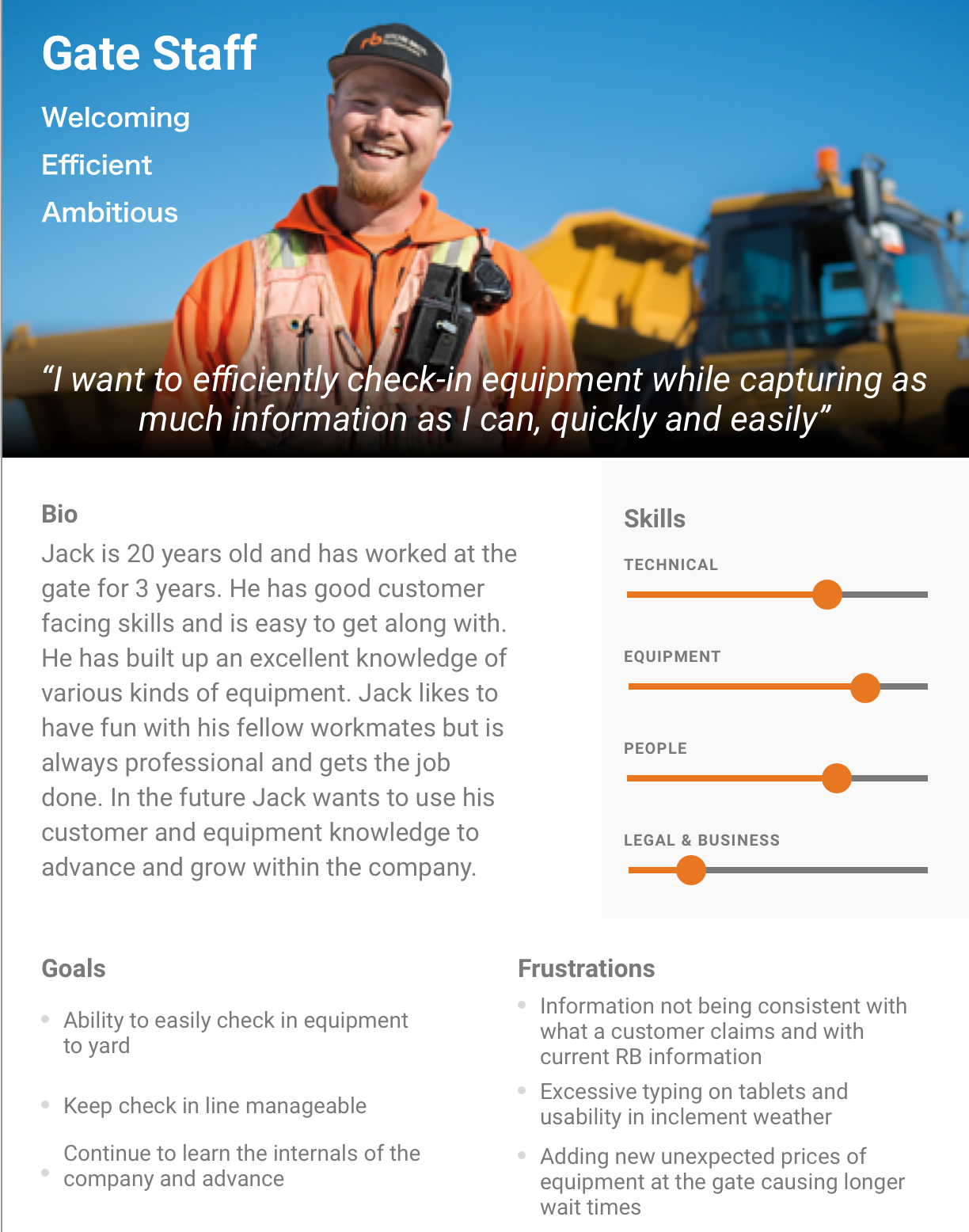
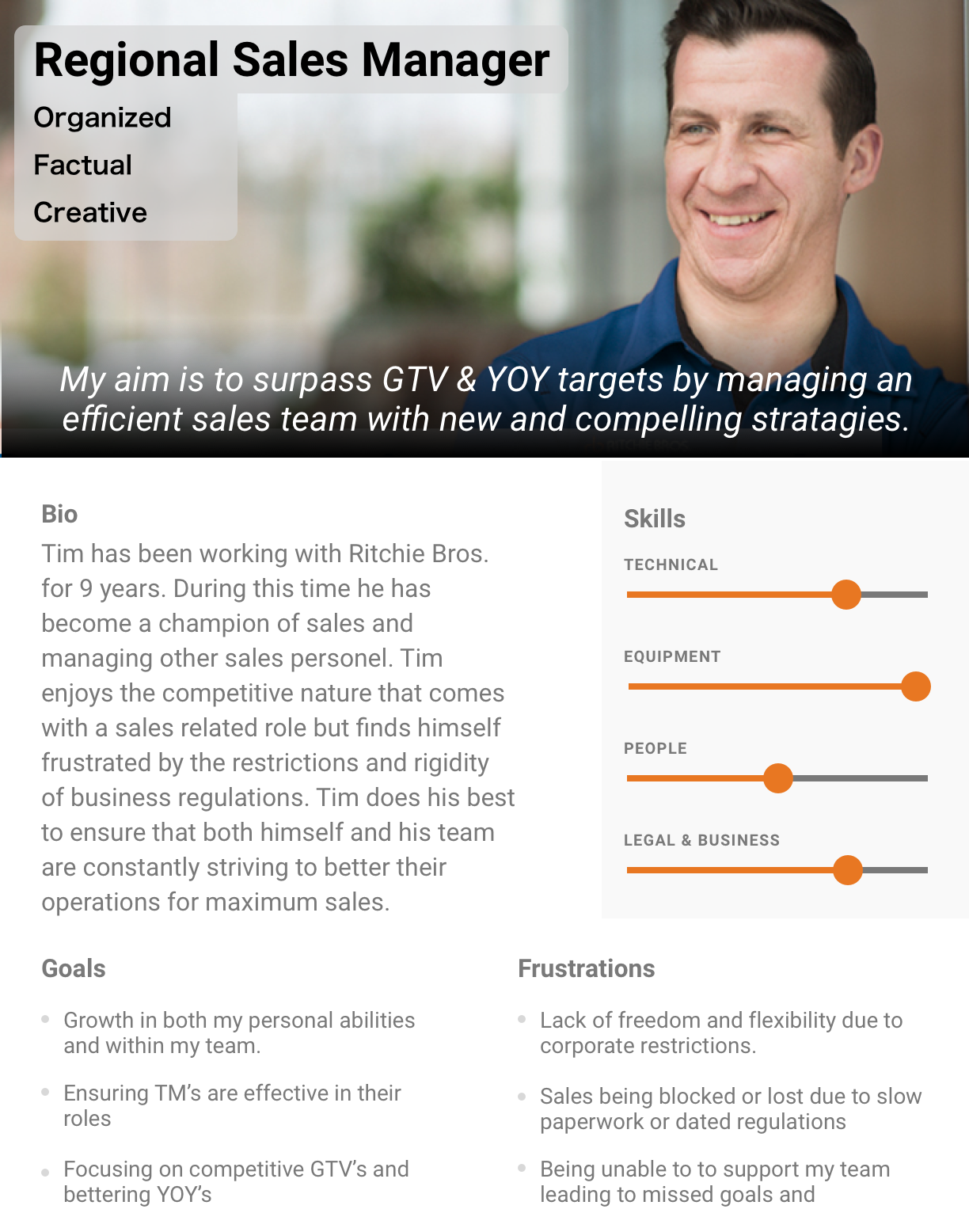
With so many possible types of users I created a set of 10 user personas from both my personal interactions and via Google Forms survey asking about their job and how they would rate their abilities in specific categories. This helped to organize and understand all the different users for both myself and for others using the personas in the office.
My approach for tackling these unique design challenges always began with researching the problem and understanding the teams using it.
In research the goal was always the same, to try and understand the workflow, pain points and goals of our users.
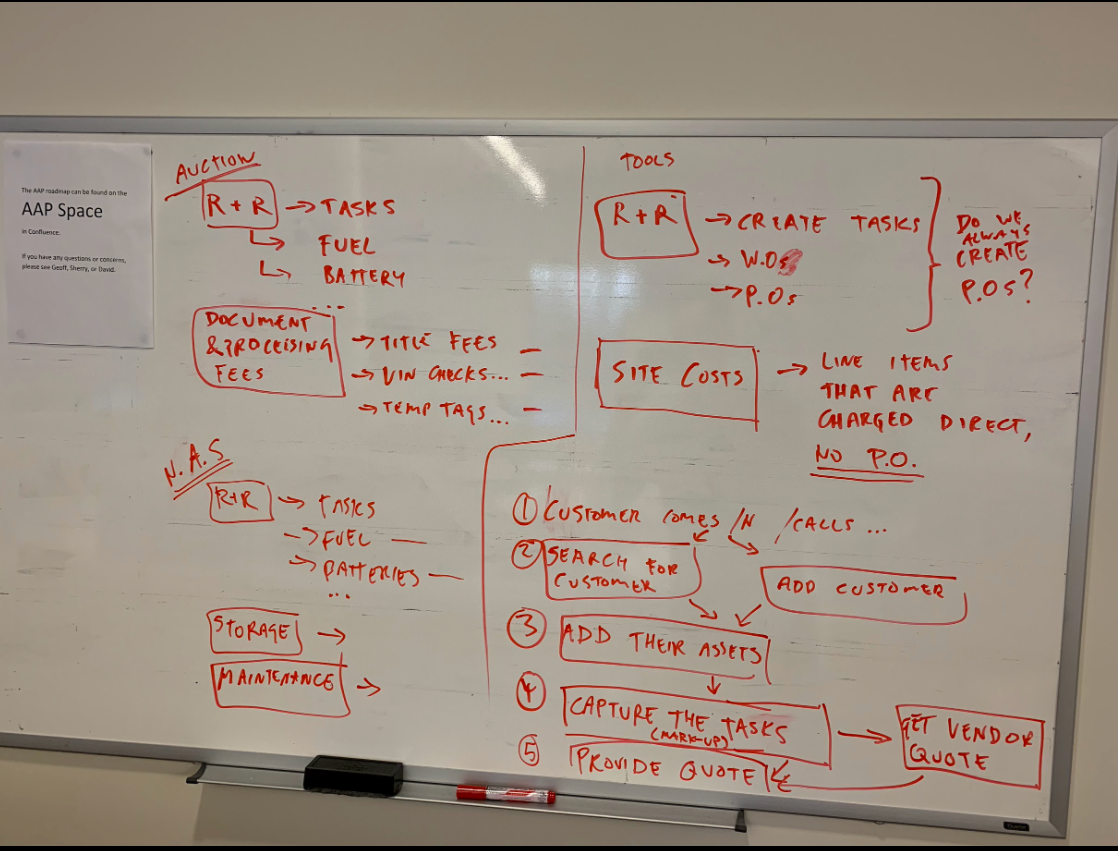
Whiteboarding a workflow to better understand the problem space
Wireframing
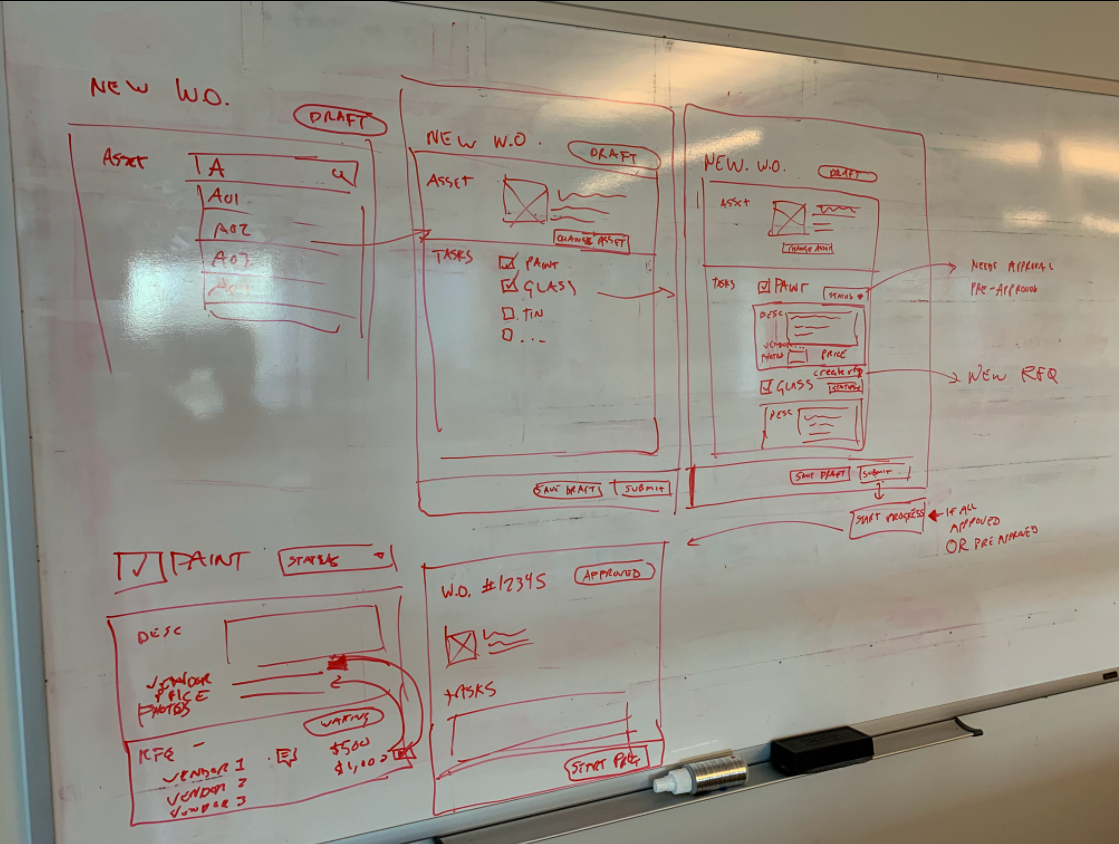
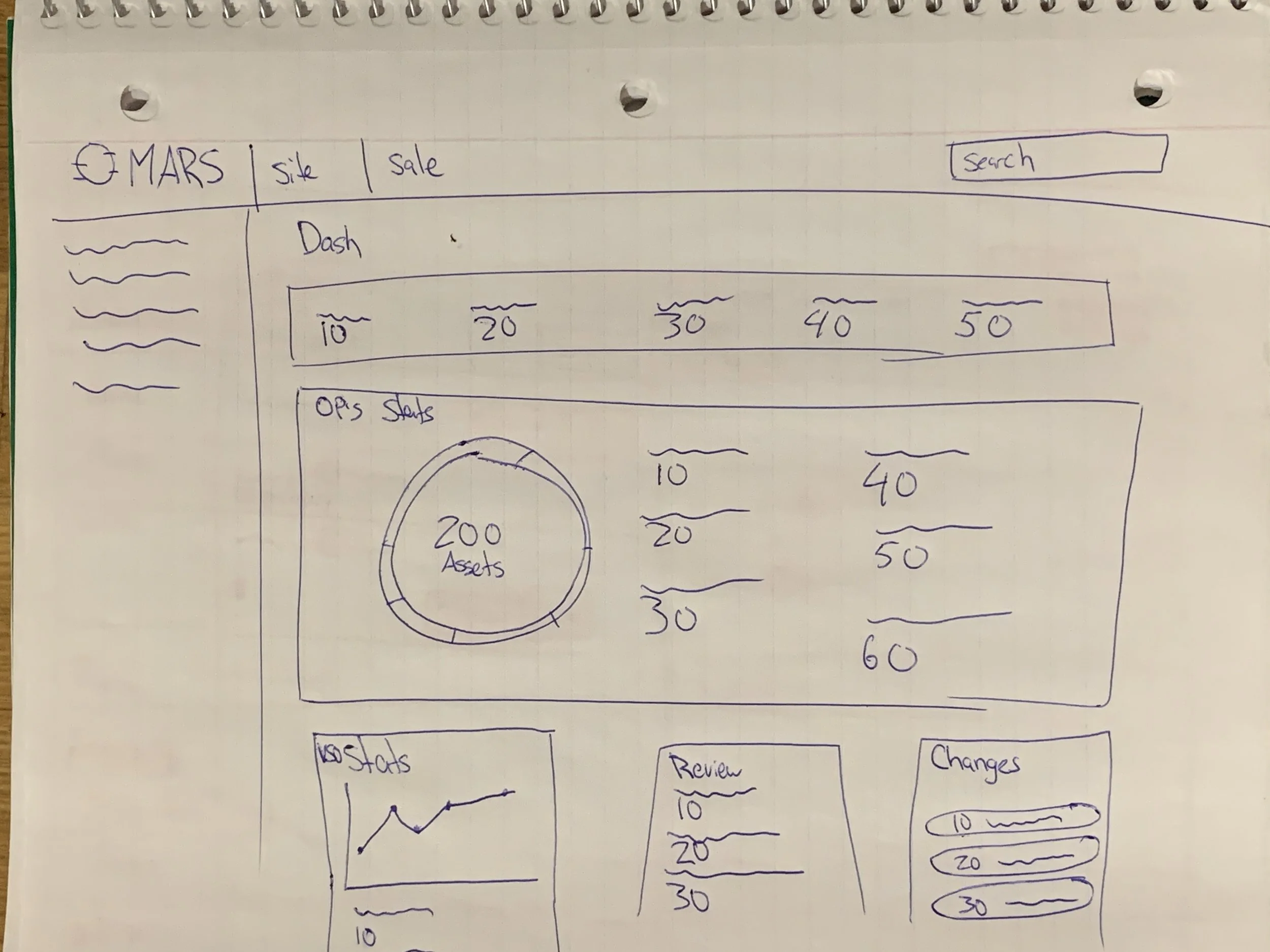
Using the information collected from Business Analysts and my own interviews with our users the next phase in the process was ideation of how to solve the problem. On large projects white boarding the solution was the first step, on small feature enhancement projects I would jump directly to grabbing some paper and coming up with some paper wireframes. Having our own design library at our fingertips in Sketch meant that the step from paper wireframes to mid fidelity was simple and quick.
Using the information collected from Business Analysts and my own interviews with our users the next phase in the process was ideation of how to solve the problem.
Having our own design library at our fingertips in Sketch meant that the step from paper wireframes to mid fidelity was simple and quick.
Testing
Testing designs for MARS and iInspector often reinforced in my mind how imperative this step is in the design process. Because of the different nuances of each job at an auction site the testing stage would always reveal insights from our users that we may have not considered. The first thing you design is rarely best solution. For large projects to get the best understanding from our users the approach was to prototype the mockups. Doing this gave a degree of realism for the user to give us the best feedback. However due to time restrictions and our users existing expert knowledge (using MARS and iInspector daily) most of the user testing was done by presenting high fidelity mockups as user flows. Based off of the feedback, designs were iterated on and refined. In some cases this could be done just once and in other cases multiple meetings with users was required to nail down the correct design.
Because of the different nuances of each job at an auction site the testing stage would always reveal insights from our users that we may have not considered.
Based off of the feedback designs were iterated on and refined.
Development
Once the final design was decided we would then perfect the UI and create pixel perfect mockups. Grooming sessions would include business analysts, the development team, quality control and SME’s. In these grooming sessions all aspects of design logistics would be discussed. Usually, there would be a need to advocate on behalf of the users as the development team often would try to find ways to reduce their effort and in turn the cost of the project. This was an important but fine balancing act where the quality of the UX had to be retained while also being conscious of budgets and timelines. In some cases this would mean adjusting the design and retesting with users to fit within these constraints.
After development was complete we would have a final meeting where the development team would present the finished product before it was deployed. In this final stage and review I would look for any missing interactions or unexpected behaviours that might have slipped though quality control.
In these grooming sessions all aspects of the design logistics would be discussed.
I would have to advocate on behalf of the users as devs often would try to find ways to reduce effort and in turn the cost of the project.
This was an important but fine balancing act where the quality of the UX had to be retained while also being conscious of budgets and timelines.
Because this is an internal application and MARS & iInspector hold industry leading auction management information I have redacted the images below.
My takeaway from Ritchie Bros.
My experience at Ritchie Bros. took me from a new designer fresh out of school to the position of Senior UX designer in three and a half years. The mentorship I gained in the first two years really gave me the confidence to trust the design process and in myself to make the right decisions.
With the ongoing implementation of UX work on MARS and iInspector I have had glowing feedback from both users and product owners on how designs have streamlined productivity both in regular work and in the high intensity time leading up to a sale.
Creating a design library gave the ability for speedy and consistent mockup creation allowing higher efficiency. This meant we could get more features in the hands of our users and continue to expand the functionalities of the applications.
I am proud of the work I achieved at Ritchie Bros. and am both empowered and grateful for the impact on the company I was able to make. I had the ability to make the jobs of thousands of employees more efficient and a joy to interact with. Seeing my designs used successfully by employees worldwide is a truly rewarding experience.