
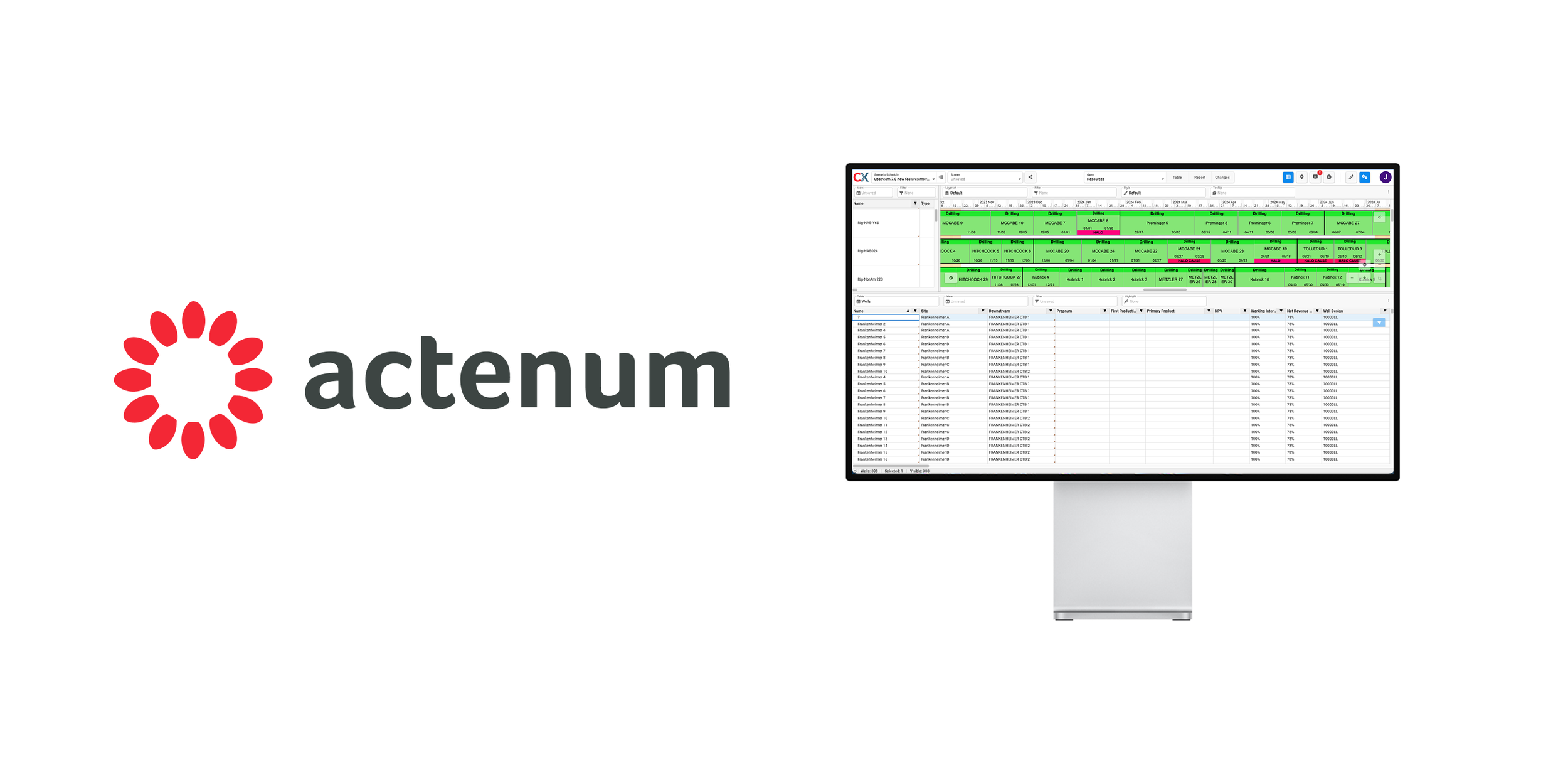
Timeline: 4 years
Category: UX & UI design
Type: Web App
Tools: Figma, Jira
Note: All CX images feature sample data and contain no actual customer information
Background & Overview
Actenum builds enterprise scheduling software for major oil and gas producers. I joined in 2022 as the company's first UX designer, with a primary focus on CX, a scheduling visibility and collaboration tool designed for a broad range of users across O&G organizations.
Over four years, CX grew from a limited companion product into a strategically central part of Actenum's offering. CX View licenses grew from 820 to 1,520 and CX Advanced licenses from 95 to 250, and for the first time in the companies history design became an embedded part of the product development process.
The Challenge
My work at Actenum centered on three compounding challenges.
First, I was designing for highly experienced schedulers and planners in an industry I knew nothing about. The domain was complex, the terminology specialized, and mistakes had real consequences.
Second, as the first designer at the company, I had to define and build a design process from scratch within a team that had never worked with a dedicated UX role.
Third, access to end users was severely limited. Oil and gas schedulers operate under significant time pressure, and most customer offices were geographically distributed. Validating design decisions without regular user access required creative solutions.
I was tasked with redesigning a complex enterprise product in an industry I knew little about while simultaneously building the company’s first formal design practice with limited user access.
Approach
To build domain knowledge quickly, I worked through Actenum's internal learning library and supplemented it with introductory oil and gas courses from Stanford University.
With direct user access limited, I established an internal SME group made up of Actenum employees who had previously worked at O&G companies and had real world experience using the software. This group became my regularly accessible source for workflow validation, domain clarification, and iterative design feedback.
To embed design into the development process, I introduced a weekly design review with representatives from frontend, backend, QA, and project management. Over time I refined this into a smaller, more focused group with asynchronous reviews between sessions. This structure significantly increased decision speed, iteration velocity, and overall feature output.
I built domain expertise, established an SME feedback group, and embedded a structured design process to bring clarity and momentum to CX product development.
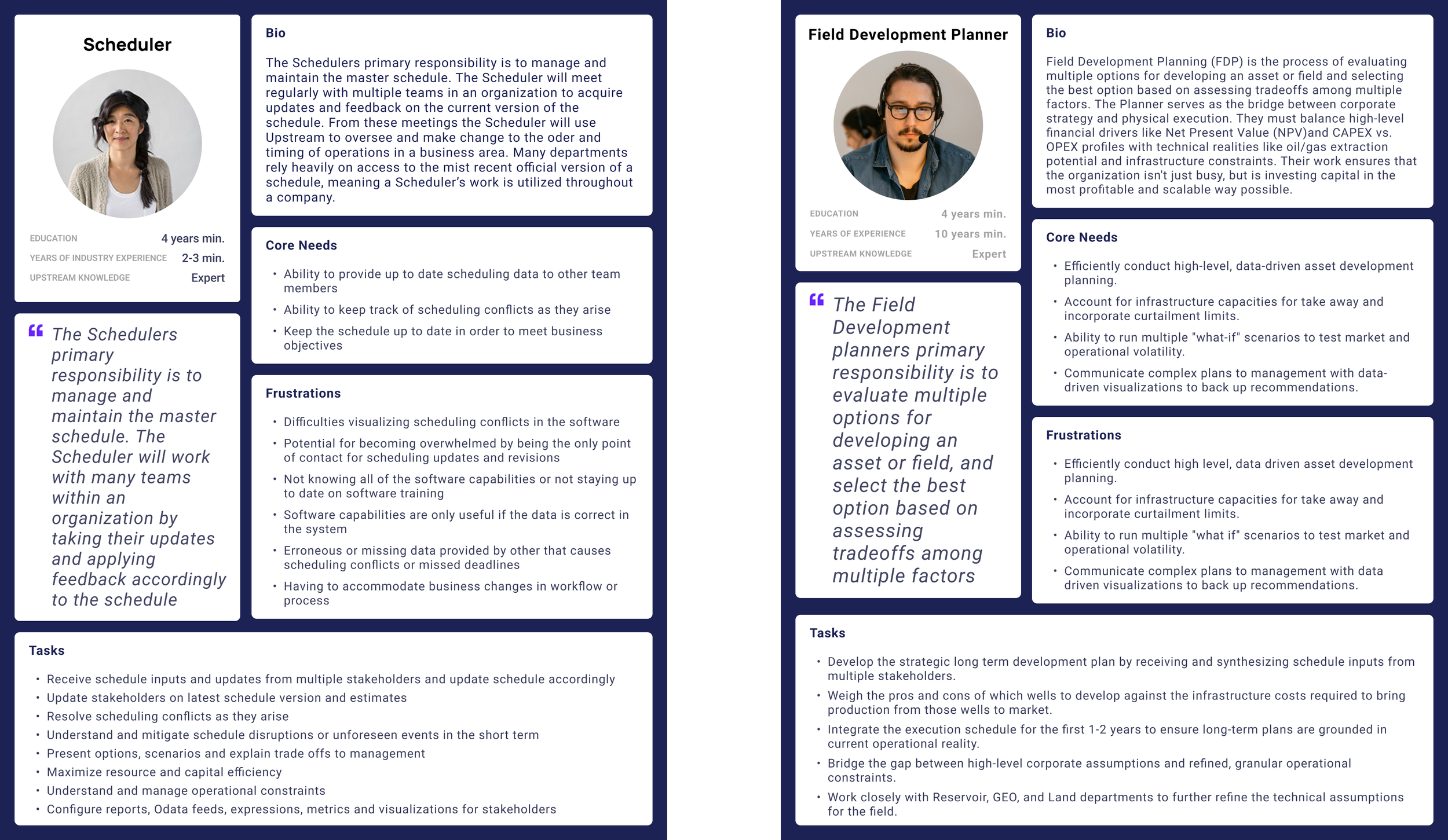
User Personas created after research
Design
When I began working on CX in 2022, the application was data dense, lacked clear information architecture, and required significant familiarity with its more complex counterpart, DSO Upstream, to use effectively. Adoption was limited and customers were hesitant to expand licensing.
Redesign and Navigation The first priority was structure. I overhauled the navigation and reorganized core controls to create a more intuitive foundation. A key change was replacing icon only configuration controls with clearly labeled menus that surfaced both the setting name and its current state, eliminating the need for users to memorize what settings were applied. This reduced visual noise and introduced more predictable interaction patterns without removing capability.
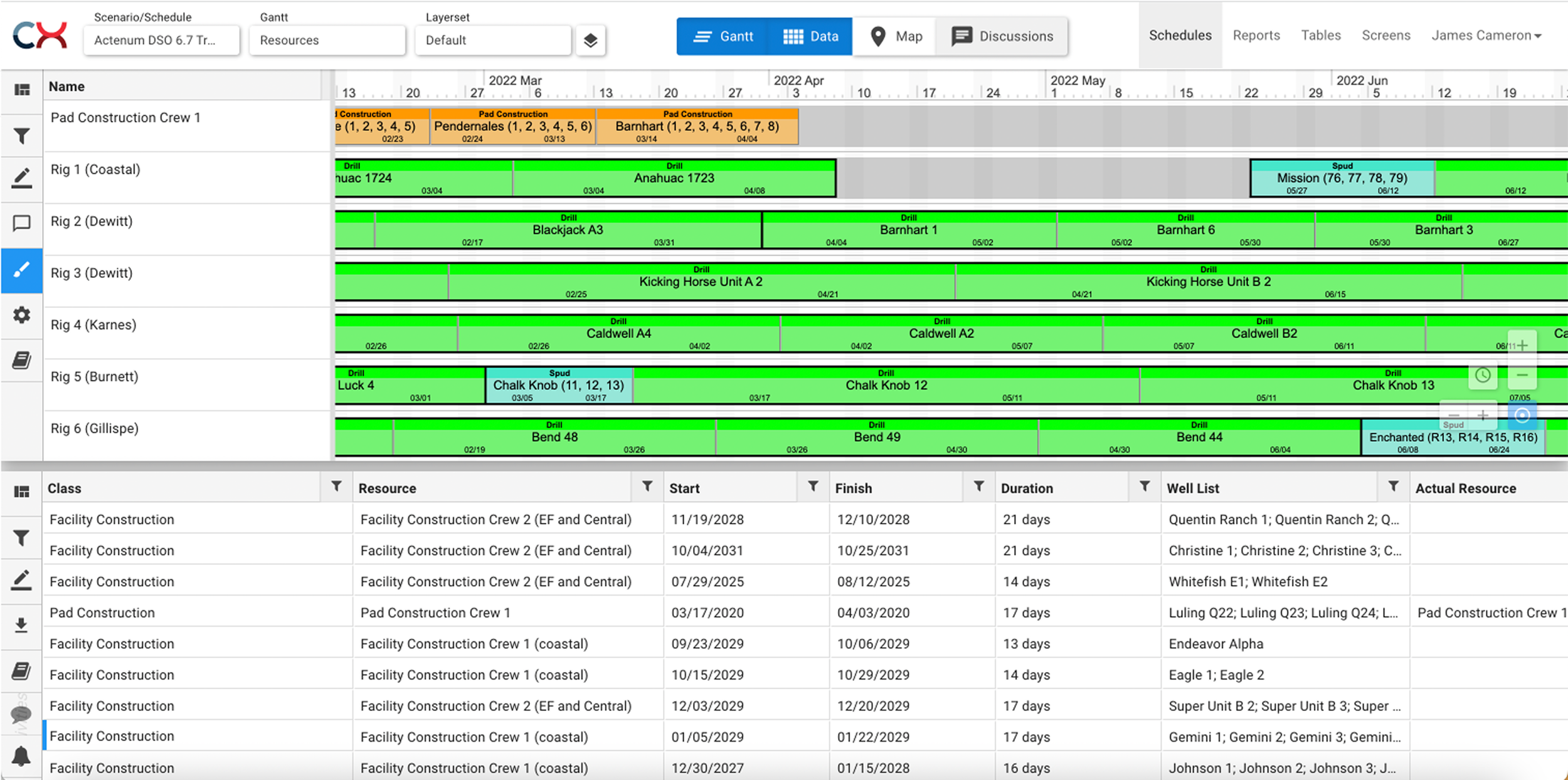
Original CX interface before redesign
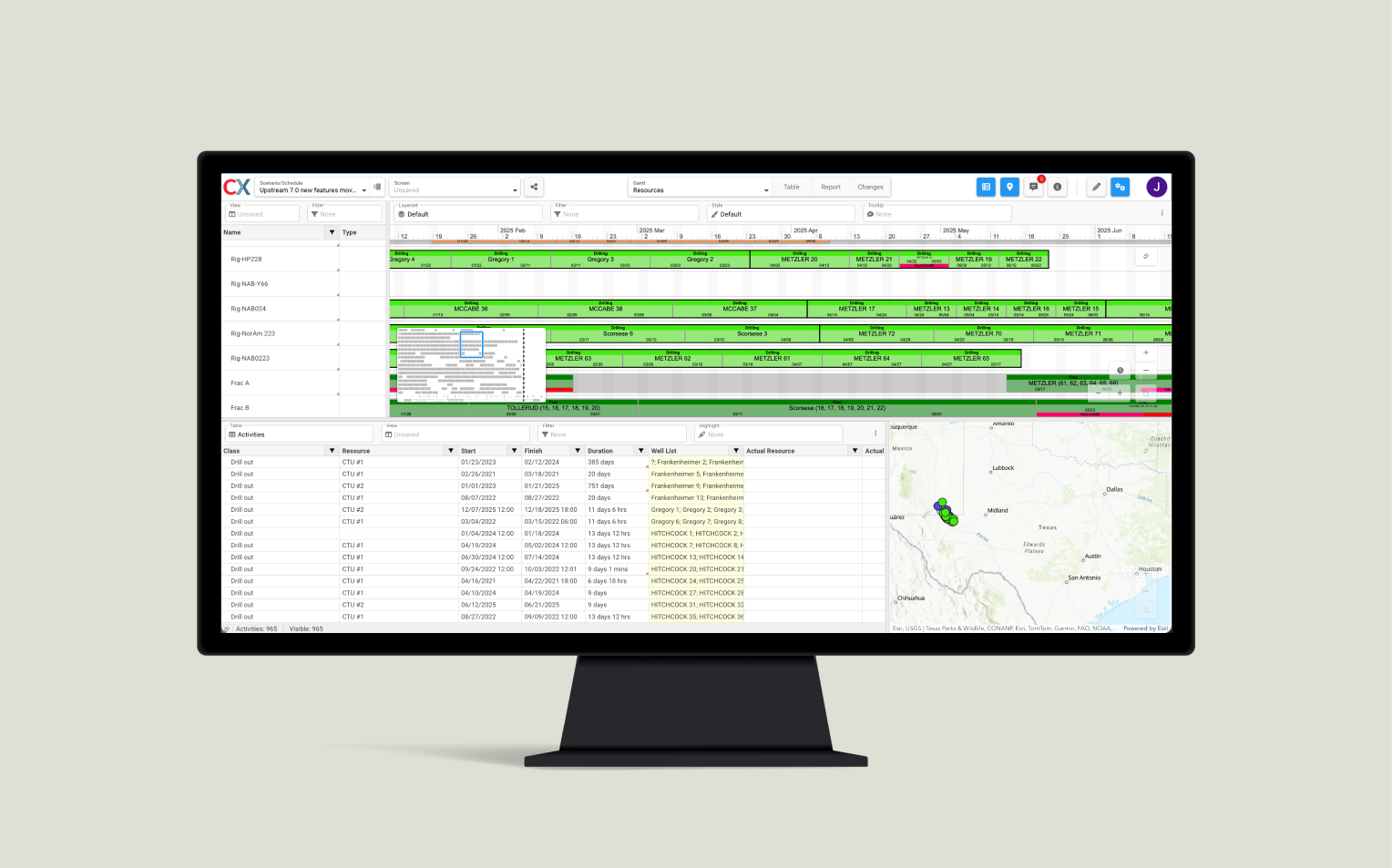
Redesign of CX
Balancing Two User Types The original CX had an implicit expectation that users would already know how to use it. I addressed this on several levels. Clear labels were applied throughout so that new or occasional users could at least identify what they were looking at. Settings were reorganized into dropdown menus, keeping users in context rather than navigating away to find configuration options. I introduced consistency across the interface by applying established UX heuristics, replacing one-off development driven interactions with predictable patterns users could learn once and apply everywhere. Finally, I restructured the surface level of the application to expose only core controls, with more advanced or infrequent options nested — reducing the initial cognitive load for occasional users without limiting what power users could access.
Field Research and Passive Guidance A turning point in my understanding came during an opportunity to visit a customer’s head office in Houston, Texas. This provided dedicated time to observe schedulers and planners in their real working environment. I conducted interviews across many roles, observed users interacting with CX at their desks, and saw firsthand where workflows broke down or felt unintuitive. I noticed non-expert users dragging panels (like the map or table) to 0px to hide them, making handles impossible to recover off the side of the screen, or attempting to edit data while 'Edit Mode' was toggled off.
This was a reminder that some users do not have the time or willingness to learn when they only need CX for quick or simple tasks.
In response I designed a passive guidance system: minimum panel widths prevented panels from disappearing off screen, and contextual tooltips surfaced only when a user hit a constraint, pointing them directly to the control they needed. This turned potential errors into teaching moments without interrupting experienced users.
Passive too
Onboarding For users willing to learn, I designed an onboarding tutorial covering core controls and basic workflows. Combined with the passive guidance system, CX became resilient for users across the full spectrum of experience and engagement.
With the right tools in place, I led the redesign for CX that clarified information architecture and made CX accessible to non expert users without sacrificing efficiency for power users.
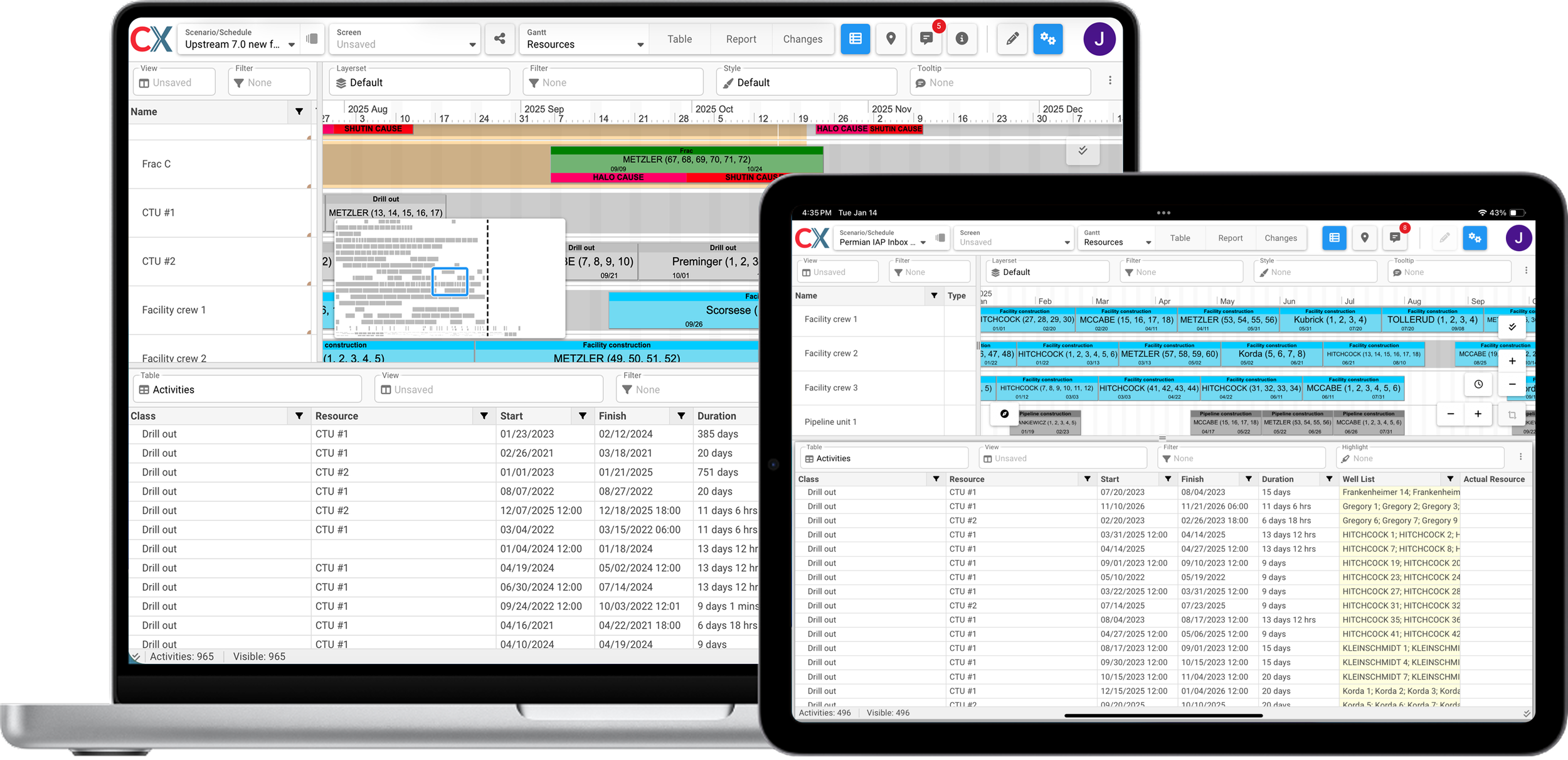
CX redesign for both desktop and tablet
Outcomes
As usability improved and functionality expanded, CX grew from a limited companion tool into a strategically central product within the Actenum ecosystem. Tablet support was added, the product transitioned from on premise to SaaS, and customers who had previously been hesitant to expand licensing began doing so.
Between 2023 and the start of 2026, CX View licenses grew from 820 to 1,520 and CX Advanced licenses from 95 to 250. The sales team reported stronger reception during demos and increased customer interest in expanding access across broader teams, a notable shift from earlier reluctance.
Beyond the product, design became embedded in Actenum's development process for the first time. Decisions were no longer purely feature driven but informed by usability, workflow efficiency, and user needs before development began.
My Takeaway from Actenum
In the oil and gas industry, efficiency is directly tied to financial impact. A single day lost due to scheduling inefficiencies or errors can represent millions of dollars in lost production, labor costs, and equipment rentals. While CX was one piece of a much larger operational system, I am proud of the role I played in improving the software used to manage these schedules. Making CX usable with minimal training allowed organizations to extend access beyond a small group of experts, increasing schedule access and improve overall effectiveness.
On a personal level, this experience reshaped my confidence as a designer. I built a functioning design process from scratch within a growing organization. I learned how to understand complex enterprise software in a domain I initially knew nothing about, with limited direct user access. I proved to myself that I could operate as the sole designer in a company. Setting direction, raising standards, and continuously improving both the product and my own capabilities.